There are several companies that have been using Microsoft Dynamics NAV for years. It still operates for some; month-end is on time, processes are consistent, and internal processes are familiar. But is it newer than Business Central? It is if your existing NAV environment still satisfies your current operational, reporting, integration, security and growth needs, and the amount of expenditure necessary to sustain the environment.
If your company is running an older NAV version, it could be a case of “it’s time to move.” Companies with a less complex, less customized setup running NAV 2018 might have more time to consider their options.
The right solution will depend on your version of NAV, support with Microsoft, customizations and integrations, infrastructure, growth plans and cloud strategy.
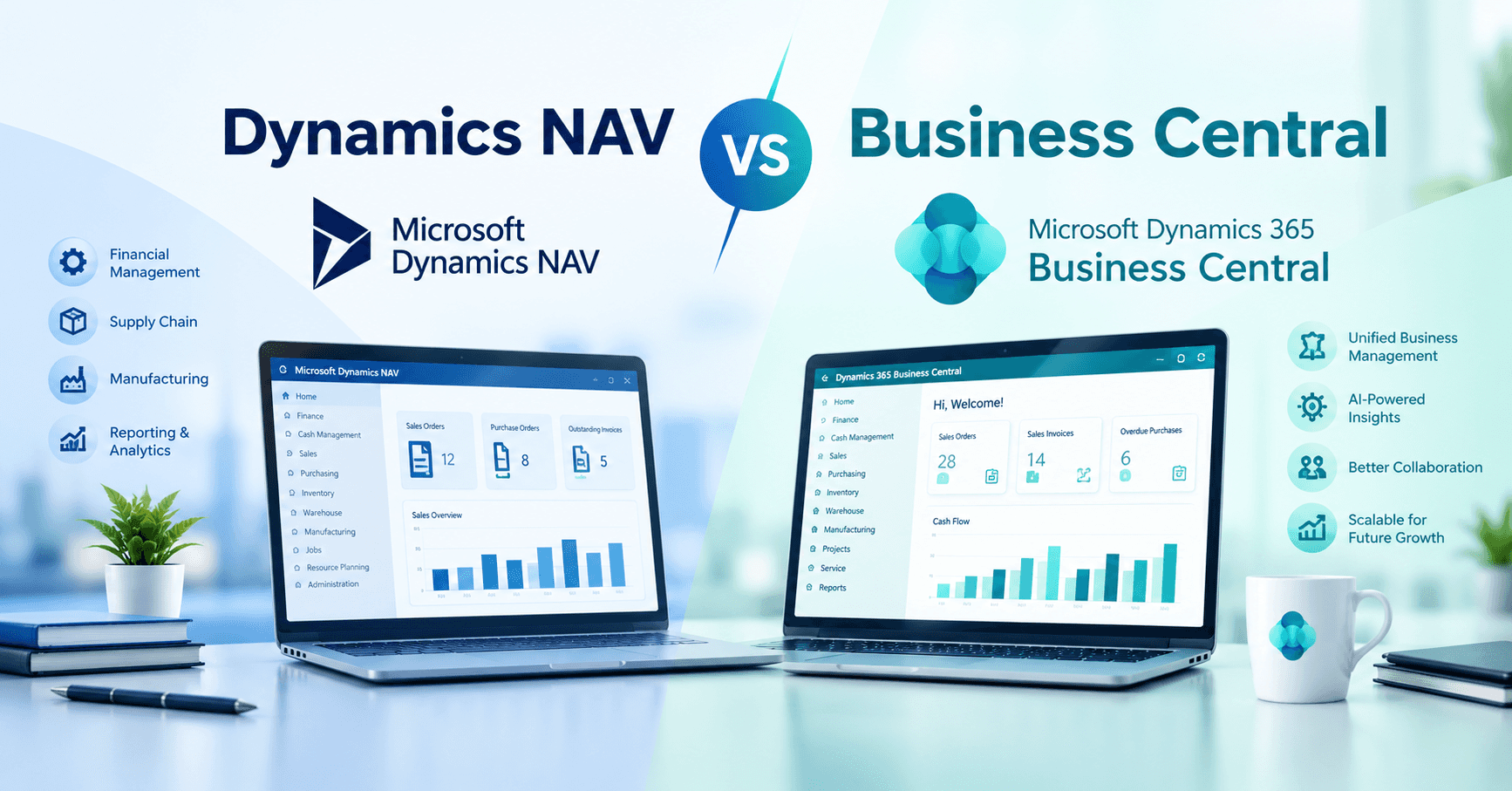
Dynamics NAV vs Business Central: What's the Difference?
Business Central is Microsoft's successor to Dynamics NAV. Microsoft built Business Central from the NAV code base and introduced it in 2018 as a cloud-first ERP platform.
Dynamics NAV, formerly Navision, was traditionally deployed on customer-managed servers or hosted through an implementation partner. Business Central retains much of NAV's familiar business functionality but changes how the ERP is deployed, updated, extended, and connected to other Microsoft products.
Deployment
Business Central primarily runs as a Microsoft-hosted SaaS application, reducing the need for customers to manage servers and databases. An on-premises option is also available.
Updates
Business Central cloud customers receive regular Microsoft updates rather than managing traditional major-version upgrades. This reduces upgrade projects but means customizations need to be built in a way that remains compatible with ongoing updates.
Microsoft ecosystem
Business Central integrates closely with Microsoft 365, Excel, Outlook, Teams, Power BI, and Power Automate. NAV can connect with many of these technologies but typically requires more configuration and development.
Access
Business Central provides browser-based access and mobile apps, supporting distributed teams, field employees, and executives who need access outside the traditional office environment.
Customization
One of the biggest differences in Microsoft Dynamics NAV vs Business Central is the customization model.
NAV customizations were often made by modifying the application's base code using C/AL. Business Central uses AL extensions, allowing organizations to add functionality without modifying the core application.
This matters when comparing dynamics nav vs dynamics 365 business central because a long-standing NAV environment may contain years of custom development. Those customizations need to be assessed individually rather than assumed to transfer directly.
AI and Copilot
Business Central includes Copilot capabilities; however, availability can depend on licensing and region, so organizations should confirm which capabilities apply to their environment.
Microsoft Dynamics 365 Business Central vs NAV: Side-by-Side Comparison
For organizations comparing microsoft dynamics 365 business central vs nav, the differences are most relevant when viewed in the context of the wider IT environment.
|
Area |
Dynamics NAV |
Business Central |
|
Product generation |
Legacy ERP line; NAV 2018 was the final release |
Microsoft's current ERP for small and midsize businesses |
|
Deployment |
Primarily on-premises or partner-hosted |
Cloud/SaaS primary; on-premises available |
|
Updates |
Customer-scheduled upgrades |
Regular Microsoft updates for cloud customers |
|
Cloud |
Hosted options available |
Native SaaS |
|
Microsoft 365 |
Possible, usually requires more setup |
Strong integration with Excel, Outlook, and Teams |
|
Power Platform |
Depends on version and configuration |
Connections with Power BI, Power Automate, and Power Apps |
|
Reporting |
Built-in reports, SSRS, custom development |
Built-in reporting, Excel, and Power BI integration |
|
AI |
Not available |
Copilot capabilities available |
|
Customization |
Often C/AL base-code modifications |
AL extensions |
|
Browser/mobile |
Depends on NAV version |
Browser and mobile apps |
|
Infrastructure |
Customer-managed or partner-hosted |
Microsoft-managed for SaaS |
For companies researching Dynamics Business Central vs nav or microsoft dynamics nav vs business central, the practical difference is how the ERP fits into the business's technology environment and future.
Is Dynamics NAV Being Discontinued?
Yes, Microsoft has moved on from developing Dynamics NAV as its ERP product for this market. Business Central is its successor.
NAV 2018 was the final NAV release. Existing NAV installations do not stop working when Microsoft support ends, but each version moves through Microsoft's defined support lifecycle.
Microsoft has shifted product investment to Business Central, including new platform capabilities and Copilot development. The practical question for an organization is whether its specific NAV version is still supported and whether the environment remains sustainable to operate.
Is Dynamics NAV Still Supported?
It depends on the NAV version.
According to the reference material, as of August 2026, mainstream support has ended for all Dynamics NAV versions. NAV 2016 and older versions are also outside extended support, while NAV 2017 and NAV 2018 remain in extended support.
- NAV 2015: Extended support ended January 2025.
- NAV 2016: Extended support ended April 2026.
- NAV 2017: Extended support ends January 11, 2027.
- NAV 2018: Mainstream support ended January 10, 2023; extended support ends January 11, 2028.
Mainstream support is broader and includes security updates, non-security fixes, and incident support. Extended support is narrower and primarily provides security updates.
Partner support is different from Microsoft support. A partner may continue supporting an older NAV environment but cannot provide Microsoft's security patches once official support ends.
Signs It's Time to Upgrade from Dynamics NAV
Age alone is not a sufficient reason to migrate. More meaningful indicators include:
- Your NAV version is approaching or past its support window.
- Customizations have become difficult to maintain.
- Critical knowledge of the system sits with one or two developers.
- Integrations with CRM, e-commerce, banking, payroll, warehouse, or reporting systems require increasing maintenance.
- Reporting has become heavily dependent on spreadsheets and manual work.
- Users need browser and mobile access.
- Infrastructure maintenance is consuming too much IT time.
- Business growth has exposed limitations in the existing ERP.
- You want stronger Microsoft cloud integration.
- Security and compliance requirements have changed.
- NAV is limiting how the business operates.
If a process cannot change because the ERP cannot support it, or if workarounds are becoming more expensive than addressing the underlying system, it may be time to evaluate the alternatives.
When Should I Upgrade from Dynamics NAV?
A practical time to begin planning is when your NAV version is within roughly two years of its support deadline, or sooner if customizations, integrations, infrastructure, reporting, or business growth are already creating problems.
Review your NAV version and support dates, infrastructure, customizations and integrations, data quality, business growth, internal IT capacity, budget, cloud strategy, and reporting requirements.
Planning early does not necessarily mean migrating immediately. It gives the organization more time to evaluate processes, clean data, assess customizations, test properly, and determine the right implementation approach.
Is It Worth Upgrading to Business Central?
For many NAV customers, Business Central can provide a path to modernize the ERP environment, but the business case depends on the existing system.
Potential benefits include reduced dependence on customer-managed infrastructure, browser and mobile access, Microsoft-managed updates for cloud deployments, stronger integration with Excel, Teams, Power BI, and Power Automate, a modern user experience, and available Copilot capabilities.
The costs can include migration and implementation, rebuilding or retiring customizations, integration changes, data migration and cleanup, user training, and ongoing subscription licensing.
A lightly customized NAV 2018 environment can have a very different migration case from a heavily customized system with numerous third-party applications.
Dynamics NAV vs Business Central Pricing
Dynamics NAV vs Business Central pricing is not a simple like-for-like comparison.
NAV costs varied depending on the licensing model, version, infrastructure, implementation, and support arrangements. Costs could include user licenses, servers, SQL Server, implementation and customization, maintenance, support, and third-party applications.
Business Central uses a per-user, per-month subscription model. The reference material reports U.S. list prices from Microsoft's November 1, 2025, update at $80 per user per month for Essentials, $110 for Premium, and $8 for Team Members, paid annually.
Businesses should verify current licensing before building a business case. It is also important to separate subscription licensing from migration and implementation costs, which can include development, integrations, data migration, testing, training, and deployment.
How Much Does It Cost to Upgrade from NAV to Business Central?
There is no reliable universal price for a NAV-to-Business-Central migration.
Cost depends on the NAV version, number of users, companies or legal entities, database size, customizations, integrations, third-party applications, historical data, reporting requirements, testing, training, and post-go-live support.
A relatively standard NAV environment may require primarily configuration and data migration. A heavily customized environment may require substantial assessment, rebuilding, testing, and process redesign.
A qualified partner should explain the assumptions behind its estimate rather than provide a generic migration number.
How Long Does a NAV to Business Central Migration Take?
There is no universal timeline.
A single-company NAV 2018 environment with limited customizations can be considerably simpler than a multi-entity environment with extensive custom code and numerous integrations.
The starting NAV version also affects the technical migration path. Older versions can require additional upgrade steps, which means more planning and testing.
Can NAV Customizations Be Kept in Business Central?
NAV customizations need to be assessed individually.
Some may already be covered by standard Business Central functionality. Others may need to be rebuilt as extensions, redesigned, or retired.
For Business Central Online, C/AL customizations must be converted to AL extensions. A reimplementation approach can instead focus on migrating essential business data without converting every existing extension.
The goal is not necessarily to recreate every historical customization. For each one, ask what it does, whether Business Central already provides the functionality, whether the business still needs it, and whether the underlying process should be redesigned.
What Does a NAV to Business Central Migration Involve?
A migration is often more than a software upgrade. Depending on the environment, it can include process redesign, customization redevelopment, data migration, integration work, testing, and user training.
A typical project may include:
- NAV environment assessment
- Business requirements assessment
- Customization inventory
- Integration and data assessment
- Solution design
- Extension development
- Data migration
- Testing and user acceptance testing
- Training
- Cutover planning
- Go-live and post-go-live support
How to Choose a Business Central Implementation Partner?
One of the crucial steps in a migration is selecting the business central implementation partner.
Search for NAV and Business Central experience, a definite migration approach, migration from C/AL to AL, extension development, integrations, data migration, testing, project management, training, and post-go-live support.
The first step to migrating from NAV to Business Central should not be a blank sheet of paper quote.
Frequently Asked Questions
Is Dynamics NAV still supported?
Support depends on the version. NAV 2017 remains in extended support until January 2027, while NAV 2018 remains in extended support until January 2028. NAV 2016 and earlier versions are outside Microsoft support.
What's the difference between Dynamics NAV and Business Central?
Business Central is Microsoft's successor to Dynamics NAV. It provides a cloud-first SaaS model, regular updates, extension-based customization, browser and mobile access, and closer integration with Microsoft 365 and the Power Platform.
How much does it cost to upgrade from NAV to Business Central?
There is no standard migration cost. The total depends on the NAV version, users, legal entities, customizations, integrations, data, reporting, testing, training, and implementation requirements.
How long does a NAV to Business Central migration take?
The timeline depends on the complexity of the NAV environment. A standard single-company deployment can be much simpler than a heavily customized, multi-entity environment, while older NAV versions can require additional technical steps.
Can I keep my NAV customizations in Business Central?
Not automatically. Some can be replaced with standard Business Central functionality, some can be rebuilt as AL extensions, and others may no longer be necessary.
Ready to Plan Your NAV to Business Central Upgrade?
The transition from Dynamics NAV to Business Central is nothing like an upgrade of the software. It's the time to examine processes, customizations, integrations, data, and infrastructure that drive your business. Business Central Partner can assist companies in identifying their current NAV environments and planning for moving to Microsoft Dynamics 365 Business Central.
Discuss with our team at Business Central Partners to get a clear understanding of your NAV environment and what a migration to Business Central might entail before proceeding with a migration.