A Shopify store can work well on its own. Operational challenges tend to appear later, when orders increase, the catalogue grows, and multiple teams need the same information at the same time. Shopify Business Central integration helps connect online sales with inventory, fulfilment and finance processes as a business scale.
When a customer places an order on Shopify, that order needs to reach the ERP. If warehouse inventory changes, the website should reflect the new quantity, finance should record the sale and payment information, and the customer should receive an accurate shipping update.
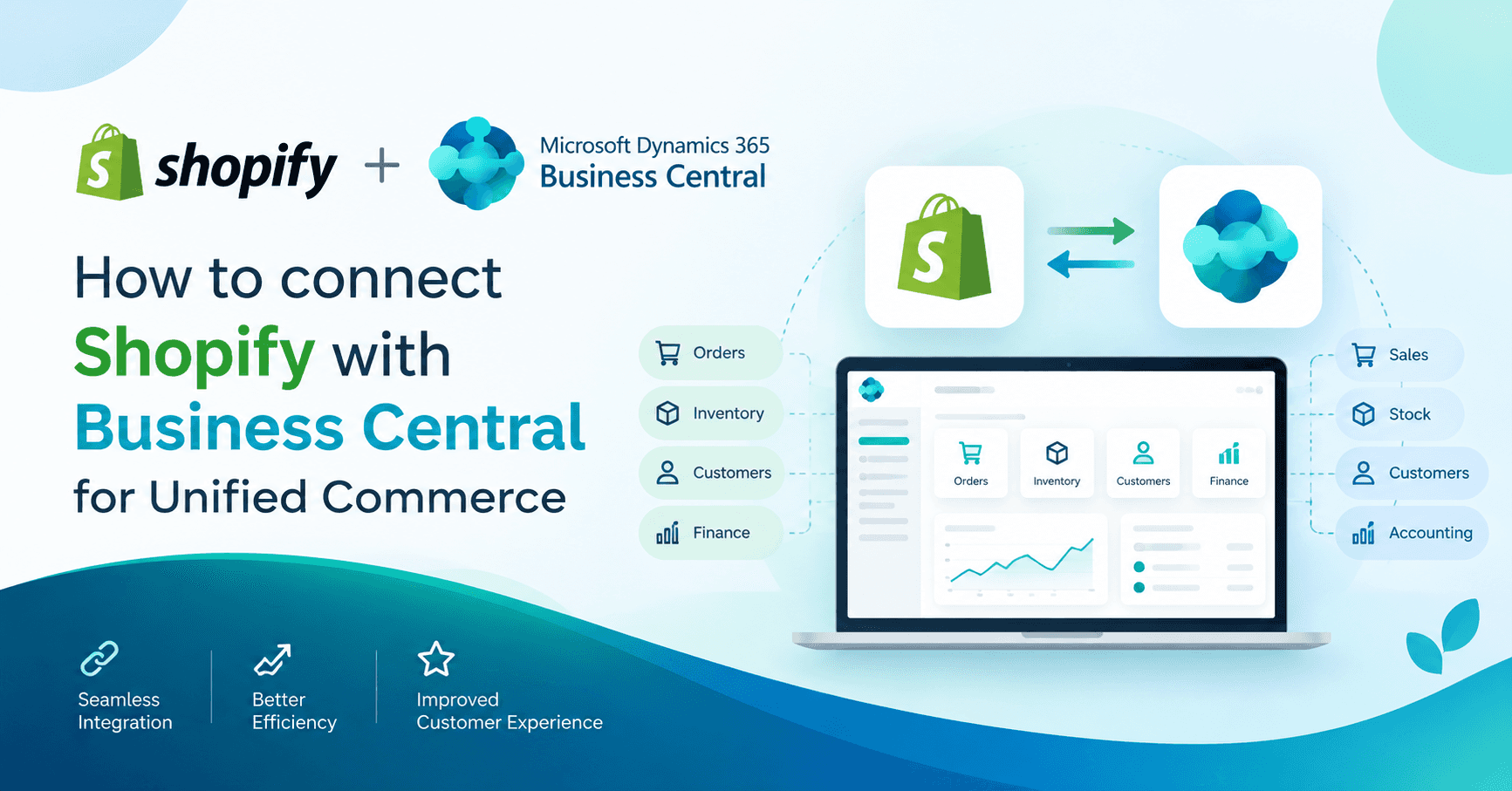
That is where Shopify Business Central integration comes in. Shopify is the customer-facing storefront, while Microsoft Dynamics 365 Business Central manages operational and financial processes. With Shopify integration with Dynamics 365 Business Central, product, inventory, customer, order and fulfilment data can be shared between the two systems, reducing manual data entry and giving sales, operations and finance teams a more consistent view of transactions.
Shopify Integration with Dynamics 365 Business Central: What Is It?
Shopify integration with Dynamics 365 Business Central allows you to synchronise products, inventory, customers, orders and fulfilment data between your online Shopify store and Business Central.
Delegation of responsibility is simple; Shopify manages the storefront, checkout and online customer experience. Business Central handles the ERP side, managing inventory, sales documents, and financial records.
For example, a typical configuration scenario would be having products and inventory transferred from Business Central to Shopify. The Shopify order will then be returned to Business Central to be placed in the sales process. Shipment and tracking data can then be returned to Shopify.
Each data flow can go either way, depending on how the integration is set up and who owns a specific data item.
What are the reasons to connect Shopify to Business Central?
The most obvious benefit is that users spend less time transferring information between systems.
Consider a store processing several hundred orders a day. Manual entry of such orders into Business Central leaves ample room for an error in order entry, whether it be a wrong SKU, quantity, address or price. An integrated process can feed the order into the ERP directly and provide the same order to the sales, warehouse and finance teams to work with.
An additional important factor is inventory. Business Central can store information related to receipts, transfers and stock adjustments, whereas Shopify requires an accurate storefront available quantity. When inventory is synchronized, both sides are in sync, although this is dependent on when it was synced and the inventory that was being synced.
Customer and product information should also be considered. As a catalogue grows, it can include variations, various SKUs and several price tiers. There may also be some customer records in both systems. Matching rules are used to help identify if an existing customer is updated, or if a new record is created.
Finance gets cleaner transaction data as well. Orders, payments, refunds and payouts can be imported into ERP, providing an organized foundation for the finance team to reconcile.
Which Data can be synced from Shopify to Business Central?
Products, inventory, prices, customers, orders, shipments, returns and refunds and Shopify Payments payout information can all be included in the Business Central Shopify integration. The data available will be dependent on the connector configuration and the requirements of the business.
|
Data |
Typical source |
Destination |
Why it matters |
|
Products and variants |
Business Central or Shopify |
Other system |
Keeps catalogue information aligned |
|
Inventory |
Business Central |
Shopify |
Shows available stock online |
|
Prices and discounts |
Business Central |
Shopify |
Supports consistent pricing |
|
Customers |
Shopify or Business Central |
Other system |
Creates or matches customer records |
|
Orders |
Shopify |
Business Central |
Starts the sales process |
|
Shipments and tracking |
Business Central |
Shopify |
Updates fulfilment information |
|
Returns and refunds |
Shopify |
Business Central |
Supports after-sales processing |
|
Shopify Payments transactions and payouts |
Shopify |
Business Central |
Helps with payment reconciliation |
|
Posted sales invoices |
Business Central |
Shopify |
Makes invoice information available to buyers |
Some requirements sit outside the standard data model. Bundles, unusual product structures and fields that require special handling may call for additional mapping or development.
How Does the Business Central Shopify Connector Work?
The Business Central Shopify connector is Microsoft’s supported extension for connecting Shopify with Dynamics 365 Business Central. It is the native option for many businesses to assess first when planning a Shopify integration with Business Central. It provides synchronization for areas such as items, inventory, customers, orders and fulfilment. Multiple Shopify shops can also be connected to one Business Central environment, with separate shop-level settings for products, locations and pricing.
The connector gives businesses control over several important parts of the synchronization process. This is the main reason the Business Central Shopify integration is often evaluated before third-party tools for standard requirements.
Items can be synchronized in both directions. Inventory can be exported from selected Business Central locations to Shopify locations. Pricing can use Business Central customer price groups and discounts, including B2B pricing scenarios.
Customer matching is handled through configurable information such as email addresses, phone numbers and bill-to details. A default customer can also be used for certain situations. Country and region templates help populate relevant customer information.
Orders can carry details such as shipping costs, gift cards, tips, payment terms and transactions into Business Central. Depending on the configuration and fulfilment status, the order can enter Business Central as a sales order or sales invoice.
Once an order has been shipped, fulfilment and tracking information can be sent back to Shopify. Shopify Payments payout information can also be imported into Business Central.
Behind the scenes, synchronization can run through the Business Central job queue, while logs provide a place to investigate synchronization issues.
There are a few details worth checking before implementation. Changes made to Shopify orders after processing may require manual attention. Archived Shopify orders are skipped during import, and certain orders containing multiple lines for the same product can require fulfilment to be marked manually in Shopify Admin.
How to Connect Shopify to Business Central?
If you are researching how to connect Shopify to Business Central, start with the business process rather than the connector screen.
To integrate Shopify with Business Central successfully, first decide which data needs to move between the systems, who owns it and how frequently it should sync.
A sensible implementation usually follows this sequence:
1. Map the requirements: Decide which information needs to move, in which direction and how frequently.
2. Review existing data: Check products, variants, SKUs, customers and open orders in both systems.
3. Choose data ownership: Decide which platform controls products, prices, inventory and online orders.
4. Clean the master data: Resolve duplicate customers, inconsistent SKUs, missing variants and other data issues.
5. Confirm prerequisites: Check the Business Central environment, Shopify store and required licences.
6. Register the Shopify store: Connect the shop to Business Central.
7. Configure mappings: Set up items, locations, customers, shipping methods, tax and payment terms.
8. Run realistic tests: Test discounts, cancellations, split shipments, refunds and other situations that occur in actual orders.
9. Validate the results: Finance and operations should verify quantities, prices, tax and document postings.
10. Go live gradually: Define how existing orders will be handled and keep an eye on synchronization logs after launch.
This process explains how to integrate Shopify with Business Central in practical terms: prepare the data, establish ownership, configure the connection, test real transactions and then move into production.
Businesses searching for how to connect Shopify to Business Central should treat data preparation and testing as core implementation steps, not afterthoughts.
The configuration itself is usually the easier part. Master data and edge cases tend to determine whether the integration works well once real orders start coming through.
Which Shopify Dynamics 365 Business Central Integration Approach Should You Choose?
The right Shopify Dynamics 365 Business Central integration approach depends on the complexity of the business rather than the popularity of a particular tool.
For many small and mid-sized businesses, the standard connector is a sensible starting point; businesses with complex workflows may need an extension, middleware or custom integration.
For a straightforward setup with one or a few Shopify stores, a clean catalogue and standard Business Central sales processes, the native connector is usually the first option worth evaluating.
A third-party extension can make sense when the standard connector leaves a specific mapping or marketplace requirement uncovered. Microsoft AppSource has extensions designed for different Business Central integration scenarios.
Middleware becomes more attractive when Shopify and Business Central are only two pieces of a larger application landscape. For example, a business might also need to connect a marketplace, warehouse platform, CRM or another finance system.
Custom API work gives the greatest control and is useful for unusual business rules or complex integration requirements. It also brings greater development and maintenance responsibility.
For a Dynamics 365 Business Central Shopify integration project, ask:
- How many Shopify stores are involved?
- Are multiple legal entities using the same environment?
- How complex is the product catalogue?
- How much order volume do you expect?
- Do you need custom fields or advanced pricing?
- How are fulfilment and returns handled?
- Which applications need to exchange data with Shopify?
- Who will maintain the integration after launch?
What Problems Can Affect Business Central Shopify Integration?
Most integration problems eventually lead back to one of a few areas: product data, customer matching, inventory, pricing, tax or order exceptions.
SKU and variant mismatches are an obvious one. If Shopify and Business Central use different identifiers for the same product, the order needs a reliable mapping before it can reach the correct item.
Duplicate customers create another headache. Matching based on email, phone or bill-to information can help, but the right rule depends on the way customers actually buy.
Inventory differences often come down to locations and timing. A business should decide which Business Central locations contribute stock to Shopify and how frequently inventory needs to be updated.
Pricing conflicts deserve testing as well. Business Central price groups and discounts may feed the Shopify storefront, so online promotions should be tested alongside the ERP pricing structure.
Tax configuration should be validated before launch. Shopify order tax information and Business Central tax calculation need to produce the expected sales document.
Returns deserve their own test plan. The connector supports different approaches, including importing return information for review, importing refunds for manual credit memo processing, or configuring automatic creation of credit memos or return orders in supported scenarios.
Then there are the awkward cases: an order gets edited after processing, a product contains several lines of the same item, a custom field falls outside the standard mapping, or a synchronization fails overnight. These situations are much easier to handle when someone owns the monitoring process.
These best practices can help businesses integrate Shopify with Business Central while reducing avoidable data and synchronization issues.
Spend time on data preparation before configuring the integration. Begin with SKUs, variants, customer records, locations and pricing. Determine the ownership of each data type and document the mapping. If a synchronization problem occurs six months later, that documentation will help the team investigate and resolve it.
Testing should also be similar to the real commerce because it is not a perfect demo order. Try discounts, split shipments, cancellations, refunds and unusual addresses. One successful test order is not necessarily enough to gauge the performance of an integration in a real trading environment.
A phased rollout can mitigate the risk. Test in one store, with a small selection of products or orders, before scaling up.
After the integration is up and running, there should be someone assigned to handle the reprocessing of failed synchronizations. There should also be access limitation across both systems and Business Central's company time zone needs to be set correctly as this impacts date conversions from Shopify.
When is the right time to get a Business Central Partner on board?
When a business has someone who is comfortable with Business Central administration, a simple Shopify store with the typical requirements can often be dealt with in-house.
With several stores, a variety of legal entities, complicated catalogues, advanced pricing, custom fields, and existing Business Central changes or multiple applications connected, the picture changes.
A Business Central Partner can help you with the project from the requirements analysis to configuration, data preparation, testing, and customization. Perhaps more significantly, an experienced partner will be able to identify process issues before they escalate into production issues.
For instance, an inventory location might have been added in the Shopify inventory calculation, when it should have remained inside. A pricing rule can be fine in Business Central but give an unexpected price in the storefront. The returns may have been missed altogether.
These are design choices. Identifying them while implementing is much easier than after live orders are putting strain on the system.
Frequently Asked Questions
Shopify Microsoft Dynamics 365 Business Central integration: What is it?
The Shopify Microsoft Dynamics 365 Business Central integration enables the transfer of product, inventory, customer, order and fulfilment data between Shopify and Business Central. It connects Shopify with Microsoft Dynamics 365 Business Central so teams can reduce manual entry and keep key commerce and ERP records aligned.
What is the Business Central Shopify connector?
The Business Central Shopify connector is the Microsoft-supported extension for connecting Shopify stores with Business Central. It supports synchronization of items, inventory, customers, orders and fulfilment details, depending on configuration.
What is the procedure to connect Shopify to Business Central?
Prepare master data, confirm the Business Central environment and Shopify account, connect the store, configure mappings, test real transactions, verify the results and move into production with synchronization monitoring.
Are there any limitations to using the standard connector with Business Central on premises?
The source draft states that Microsoft's standard connector is available for Business Central online. So, for businesses operating on premises, there may be other integration methods required.
What licences are required?
The standard configuration includes a Business Central licence and Shopify licence. If extensions, middleware and custom development are required, there may be additional costs.
Are multiple Shopify stores able to be integrated in one Business Central environment?
Yes. Multiple Shopify shops connected to one Business Central environment are well documented by Microsoft and there is a unique configuration per shop for other aspects like product, locations and pricing.
How does the connector synchronize with Shopify customers?
Information that can be utilized for customer matching includes email addresses, phone and bill-to information. A default customer can also be set for orders for which it is applicable.
What is Business Central's return and refund process?
There are multiple return and refund processing options supported by the connector. Businesses can import the information to process manually, or they can set up scenarios that will be supported by Business Central, which will automatically generate the credit memo or return order.
Who should have product and inventory data?
A typical configuration is to have Business Central as the source of item, inventory and pricing data, and Shopify to take care of capturing orders online. The most appropriate model for ownership will vary based on the processes and data needs of the company.
When Should You Consider an Alternative to the Native Connector?
An extension, middleware or custom integration may suit businesses with complex field mappings, customizations, advanced pricing or multiple connected applications. The best Shopify Dynamics 365 Business Central integration method depends on the specific workflows and support available to maintain it.
Planning Your Shopify Integration with Business Central?
A good integration starts with the way your store operates.
Shopify Microsoft Dynamics 365 Business Central integration should reflect your actual order, inventory, fulfilment and finance workflows, not simply connect two systems.
Whether you need Shopify integration with Business Central, a basic Shopify Business Central integration, or a wider Shopify Microsoft Dynamics 365 Business Central integration, a Business Central partner can assess your stores, catalogue, inventory and order flows to determine whether the standard connector is suitable.
The right approach depends on your business requirements, existing systems and plans for growth.
Take advantage of a free integration consultation with Business Central Partners.