Microsoft Dynamics 365 Business Central is a reliable, comprehensive business management solution.
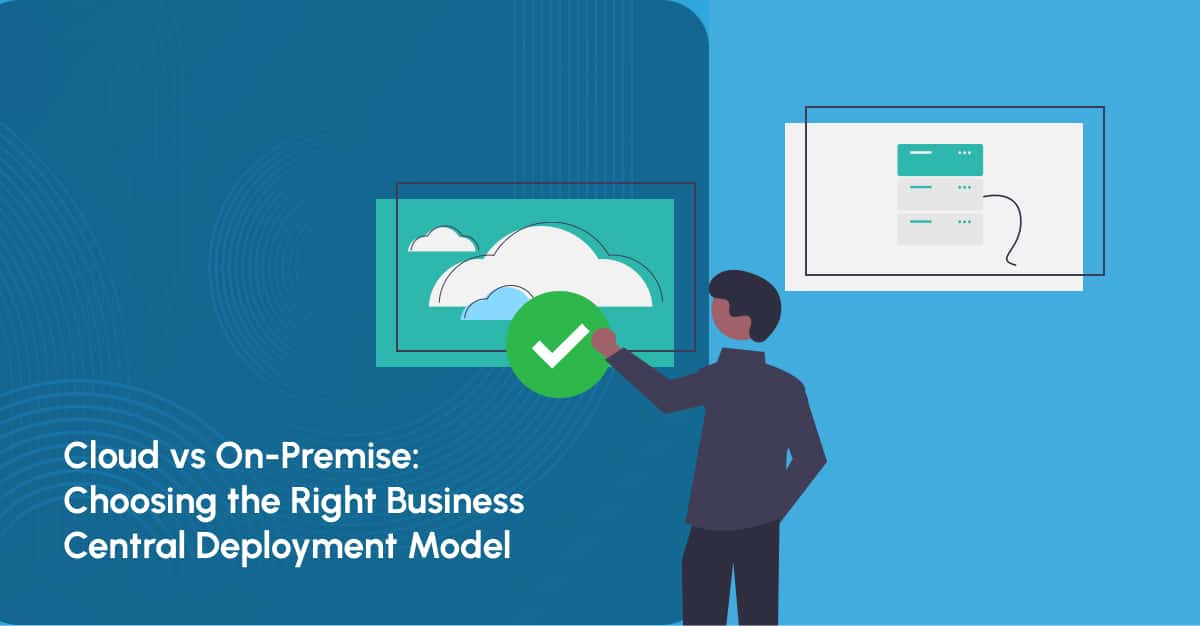
In terms of deployment, Business Central can be implemented in the cloud or on premises. Both solutions have the same functionality but differ in pricing, scalability, security, maintenance, updates, integrations, and accessibility.
IT decisions like choosing the best deployment type can be difficult for enterprises. Data and apps determine whether the organization deploys it on internal servers or on Microsoft's cloud platform.
This blog will explain cloud and on-premises deployment models and their differences.
What is Microsoft Dynamics 365 Business Central?
Microsoft Dynamics 365 Business Central is a robust ERP solution that provides a complete overview of all departments, including finance, supply chains, and customer relationships. This AI-powered ERP is tailored for small to mid-sized businesses and offers a cloud-based platform with built-in intelligence that can drive growth and improve efficiency.
Business Central allows companies to automate processes like accounting, inventory management, project tracking, and reporting, all within a single system. As a part of Microsoft ecosystem, it allows seamless integration with Power BI, and other Dynamics 365 applications, providing a connected business environment.
What is On-Premises Storage?
On-premises storage refers to a setup where a company hosts its servers and data within its own physical infrastructure, typically at its office or data center.
In this model, the organization owns and manages hardware, software, and security systems. The servers are installed on-site and are maintained, controlled, and administered internally. This usually requires a dedicated in-house IT team or a trusted IT partner to ensure smooth operation, updates, and security management.
Data stored on-premises can be accessed, shared, and transferred between devices through the organization's local network.
What is Cloud Storage?
Cloud storage is a model where data is stored on remote servers that are owned and managed by a cloud service provider. The provider is responsible for procuring, installing, and maintaining all hardware, software, security systems, and supporting infrastructure within its data centers.
Users can access, store, and manage their data over the internet. This can be done through various devices, including desktops, laptops, web browsers, and mobile applications.
Cloud storage eliminates the need for organizations to maintain physical servers on-site, while offering scalable storage capacity and remote accessibility.
Dynamics 365 Business Central Cloud or On-Premises: Which One Should You Choose?
Microsoft Dynamics 365 Business Central gives businesses the flexibility to choose how they want the system to be deployed. You can either use the cloud version or install it on-premises. Both options work well, but the right choice depends on your business needs, budget, and technical resources.
Before deciding, it is important to understand a few key factors. Below, each aspect is explained in simple terms.
1. Business Central Maintenance Costs
Business Central Cloud
The cloud version follows a subscription model. You pay a monthly or annual fee based on the number of users and features you need. Microsoft hosts the system on Azure, so you do not need to buy servers or install software in your office. System updates, security patches, and performance monitoring are handled automatically by Microsoft, which reduces ongoing maintenance effort.
Business Central On-Premises
With on-premises deployment, you pay a one-time license cost to purchase the software. However, you must invest in servers, storage, and hosting infrastructure. You will also need an internal IT team or an external partner to manage maintenance, system health, backups, and emergency support. Over time, these costs can add up.
2. Business Central Deployment
Business Central Cloud
Cloud deployment is faster and simpler. Microsoft’s technical teams handle most of the setup and configuration. Businesses can go live quickly with minimal disruption, as there is no physical installation required.
Business Central On-Premises
On-premises deployment takes more time. Hardware must be installed, software must be configured, and systems must be tested on-site. This process requires planning, technical expertise, and patience.
3. System Uptime
Business Central Cloud
Microsoft offers high availability with around 99 percent uptime. Since the cloud depends on internet access, a stable and fast internet connection is important for smooth performance.
Business Central On-Premises
On-premises systems do not depend on external internet connectivity for internal access. As long as the local server is running properly, users can continue working without interruption.
4. Pricing Structure
Business Central Cloud
Pricing is flexible and scalable. You pay based on users, storage, and business requirements. This makes it easier to plan costs and scale up or down as needed.
Business Central On-Premises
There are no recurring subscription fees, but upfront costs for licenses, servers, and setups can be high. Ongoing maintenance and support expenses must also be considered.
5. Data Access
Business Central Cloud
Data access is controlled through standard connectors and APIs. In some cases, additional tools or partner support may be required to integrate with other systems.
Business Central On-Premises
On-premises gives full control over data. Users can access, customize, and manage data directly based on business needs without external dependencies.
6. Upgrades
Business Central Cloud
Upgrades are automatic and seamless. Microsoft handles updates in the background, ensuring the system stays secure and up to date.
Business Central On-Premises
Upgrades must be planned and executed by your IT team. This includes testing, installation, and troubleshooting, which requires time and effort.
7. Data Visualization
Business Central Cloud
The cloud version supports advanced insights, forecasting, and reporting. It helps businesses make better decisions using real-time data.
Business Central On-Premises
Data visualization often requires manual tools or third-party solutions. Teams may need extra effort to analyze and present data effectively.
8. Data Ownership
Business Central Cloud
Data is stored securely in Microsoft's data centers. While the data belongs to your business, Microsoft manages storage and security.
Business Central On-Premises
All data is stored within your own environment. This gives complete ownership and control, which can help with compliance and custom business needs.
9. Business Central Scalability
Business Central Cloud
The cloud version is highly scalable. This means you can easily increase or reduce resources based on your business needs. If your company grows and you need more users, more storage, or higher system capacity, you can upgrade your plan quickly. There is no need to buy new hardware or change physical infrastructure. Everything is managed through Microsoft Azure.
This makes cloud ideal for growing businesses, seasonal demand changes, and companies planning expansion to new locations or markets. You only pay for what you use, which gives flexibility and financial control.
Business Central On-Premises
Scalability in on-premises depends on your internal infrastructure. If your business grows, you may need to upgrade servers, increase storage capacity, or invest in new hardware. This requires planning, budget approval, and technical effort. Scaling up is possible, but it is slower compared to the cloud because physical systems must be adjusted.
Businesses must also consider downtime during hardware upgrades. While on-premises gives full control, expanding system capacity requires more time, money, and IT involvement.
Top Factors to Evaluate Before Choosing a Business Central
Choosing between cloud and on-premises for Business Central depends on your business goals, budget, and internal resources.
- Cost: Cloud works on a monthly or yearly subscription. You avoid heavy upfront spending because Microsoft manages the servers. On-premises requires a large initial investment in licenses and hardware, plus ongoing maintenance costs.
- Growth: Cloud is easier to scale. You can quickly add users or storage as your business grows. On-premises scaling takes more time because it may require new hardware and setup.
- Security: On-premises gives you direct control over your servers. Cloud is hosted on Microsoft Azure, which follows strong global security standards. Both can be secure if managed properly.
- IT Support: Cloud reduces technical maintenance since Microsoft handles updates. On-premises needs a dedicated IT team to manage the system.
- Access: Cloud allows secure access from anywhere with internet. On-premises usually works within your local network, though remote access can be configured.
The right choice depends on how flexible, controlled, or scalable you want your system to be.
Final Words
Both Business Central Cloud and On-Premises are deployment options for Microsoft’s versatile ERP system. The right choice depends on your business needs, priorities, and long-term strategy.
The cloud version of Business Central offers convenience, scalability, and reduced infrastructure management. It is well suited for organizations seeking agility, lower maintenance effort, and flexible access to the system from different locations. In contrast, the on-premises version provides greater control over infrastructure, data management, and system customization. This can be important for businesses with strict regulatory requirements or highly specialized operational processes.
If you are still unsure which option is right for your organization, consult a certified Business Central partner. They can assess your requirements and help you choose the deployment model that best supports your growth, efficiency, and digital transformation goals within the Microsoft ecosystem.