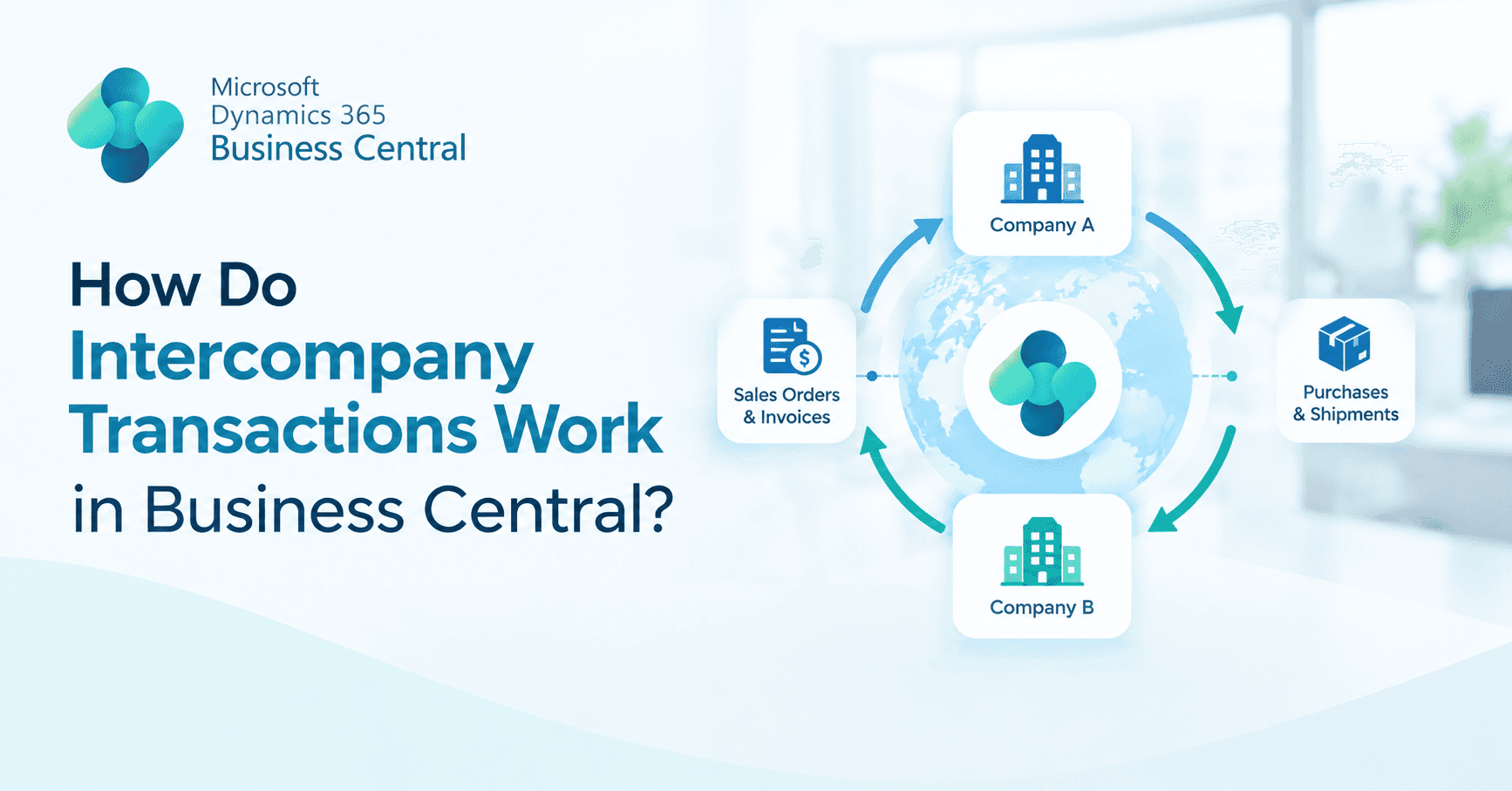
In Microsoft Dynamics 365 Business Central, you can share sales, purchase and general journal data between companies in the same group in an organised way using intercompany. When a company posts a supported transaction, Business Central puts a matching record into its Intercompany Outbox for the partner company.
That record is then picked up by the partner company from its Intercompany Inbox, where it can accept or reject the transaction. Intercompany transactions eliminate duplicate entries while allowing the receiving company to review the information as it is recorded in its own ledger.
Intercompany Transactions in Business Central: What Are They?
An intercompany transaction is a transaction between two companies that are part of the same corporate group. A parent company can sell products to a subsidiary, or a subsidiary can bill another operating company. Intercompany activity is set up through an intercompany partner in each company and is managed in Business Central independently of regular customer and vendor activity.
Microsoft developed intercompany functionality to support sales and purchase documents and general journal lines. Each partner's structure maps to an Intercompany Chart of Accounts, allowing each partner to use a different chart of accounts and dimensions. Posting to ledger accounts is supported, and bank-to-bank transactions are possible, provided intercompany bank accounts are configured. During intercompany transactions, accuracy is crucial, as each mismatch may result in problems during intercompany reconciliation and consolidated reporting. Business Central helps create and exchange the records. The finance team remains responsible for decisions on transfer pricing, elimination entries and tax treatment.
How Does the Intercompany Transaction Process Work?
There are four stages involved in intercompany transactions: send, receive, accept and post.
These stages unfold over seven steps.
- An intercompany partner code is provided for each company. The partners agree on a common Intercompany Chart of Accounts.
- Every company assigns intercompany partner codes to its customer and vendor records that represent partner companies and maps its accounts and dimensions to that common structure.
- A user enters a supported sales or purchase document or an intercompany general journal line in the originating company. Depending on the document type, the transaction can be sent before posting or must be posted first. Posting a transaction creates the corresponding entry in the Intercompany Outbox.
- Depending on the settings, the entry is transferred from the Intercompany Outbox to the partner company, either manually or automatically.
- The transaction is added to the partner's Intercompany Inbox. At this point, it has not yet been recorded in that company's books.
- The partner checks and accepts or rejects the transaction. Accepting puts it into the receiving company's workflow, while rejecting returns it to the originating company through the intercompany process.
- The receiving company posts the resulting document or journal line, and both companies reconcile their corresponding balances.
Automation is available for intercompany transactions. Automatic acceptance can be enabled for partners, and automatic acceptance for intercompany general journal transactions can also be enabled through Feature Management. Teams that wish to leave these options disabled can use a manual checkpoint instead. This allows the finance team to review transactions before further processing. Automatically accepted journal transactions create journal lines, but those lines are not posted automatically.
How Do You Set Up Intercompany Transactions in Business Central?
Setup begins on the Intercompany Setup page, which brings the configuration steps together in one place. Every step has one purpose: getting two ledgers to agree on a single intercompany transaction.
Partner codes come first. Each participating company needs an intercompany partner code, and the customers and vendors that represent partner companies must carry the matching code, which routes their transactions through the intercompany process.
Next comes the Intercompany Chart of Accounts, a shared set of accounts that's often a simplified version of a partner's chart. Each company maps its accounts to it on the Intercompany Chart of Accounts page, and Microsoft advises mapping in both directions. Partners whose transactions carry dimensions map those on the Intercompany Dimension Mapping page. Items can follow each company's numbering or use the partner's numbers through item references, and bank-to-bank postings require intercompany bank accounts.
Companies in different Business Central environments can also be connected, which requires a Microsoft Entra app registration and the relevant connection configuration. Requirements vary with the accounting structure, so treat this section as a map of decisions rather than a fixed checklist.
What Is an Example of an Intercompany Transaction in Business Central?
Take a US group with two companies. Great Lakes Distribution sells $48,000 worth of components to its sister company, Lakeside Manufacturing. For illustration, assume both report in US dollars, sales tax is outside the scope of this example, and the accounts are already mapped.
Great Lakes creates a sales order for Lakeside, which is set up as an intercompany customer. The order can be sent before posting. Once Great Lakes posts the relevant sales invoice, Business Central creates a matching entry in its Intercompany Outbox, carrying the intercompany partner code, transaction lines and mapped references.
Once the entry is sent, it appears in Lakeside's Intercompany Inbox. A member of the accounts payable team checks quantities, prices and accounts against the shipment, then accepts the transaction. Business Central creates the corresponding purchase invoice in Lakeside, which the team posts following its own procedures.
At month-end, both controllers compare Great Lakes' intercompany receivable with Lakeside's intercompany payable. Both sides use the corresponding values and mapped accounts, so the balances should agree. When the balances differ, the cause may be an unprocessed or rejected transaction, a document error or a mapping issue.
This is one scenario. Inventory ownership, revenue recognition and tax can all change the posting sequence, so each group should validate its configuration.
What Are the Benefits of Intercompany Transactions in Business Central?
For multi-entity teams, the practical gains are direct. Supported document types and journals reduce duplicate entry. The shared account and dimension structure helps keep corresponding entries consistent. The inbox and outbox provide a transaction trail, including handled transactions, and intercompany receivables and payables become easier to review. Together, these features can make month-end close more orderly, though none of them guarantees error-free processing.
What Are the Limitations of Business Central's Intercompany Functionality?
Several areas deserve attention before implementation.
Setup takes planning. Building the shared chart and mapping every company to it is a task, especially when charts and dimensions differ widely between partners. Exceptions also remain rejected lines, unmapped accounts and mismatched item references each need someone to resolve them.
Document coverage deserves a check as well. Microsoft notes that purchase invoices are not submitted to partners through the intercompany process. Instead, a posted intercompany sales invoice can generate the corresponding purchase invoice in the receiving company, so confirm which document types fit your workflow.
Consolidation is a separate function. It combines business unit data into a company for group reporting, and Microsoft documents consolidation eliminations as a manual process. Complex allocations or external systems may call for extensions or integrations, with licensing confirmed separately. Tax, transfer pricing and inventory valuation each need their own review.
Is Business Central Suitable for Companies With Multiple Legal Entities?
Often, yes. Microsoft designed the functionality for organisations that operate separate legal entities, and it works across different charts of accounts and dimensions when the relevant mappings are configured.
Suitability depends on the number of entities, transaction volume, how far the accounting structures differ, reporting requirements and the level of automation the team expects. An implementation partner adds value when mappings are complicated, entities sit in different environments, or the workflow appears to exceed standard functionality.
Frequently Asked Questions
Can Business Central automate intercompany transactions?
Partly. Partners can be set to send and accept transactions automatically, and automatic acceptance for intercompany general journal transactions is available through Feature Management. Teams that prefer review can work through the Intercompany Inbox and Outbox instead.
What is the difference between intercompany transactions and consolidation?
Intercompany transactions record matching entries between partner companies. Consolidation combines business unit data for group reporting, and consolidation eliminations are a separate process that may require manual entries.
Can Business Central handle intercompany sales and purchases?
Yes, for supported document types. Once partners have codes, companies can exchange supported sales and purchase documents, including transactions involving items and item charges. Purchase invoices are not submitted directly to partners through the intercompany process.
Do companies need matching ledger accounts?
No. Each company maps its accounts to a shared Intercompany Chart of Accounts, so the charts can differ as long as the required mappings are complete.
Can Business Central manage intercompany transactions across legal entities?
Yes. Each entity can operate as a separate company, and partners can connect within one environment or across different environments, depending on the setup.
Simplify Intercompany Accounting With Business Central Partners
Setting up intercompany transactions involves more than connecting companies. The right configuration helps keep account mappings consistent, transactions moving between entities and reconciliation manageable at month-end.
Business Central Partners can help you review your legal-entity structure, configure intercompany accounts and mappings, and assess how transactions move through the Intercompany Inbox and Outbox.
If you're planning an implementation or reviewing an existing setup, contact Business Central Partners to discuss your intercompany accounting requirements and find an approach that works for your business.